

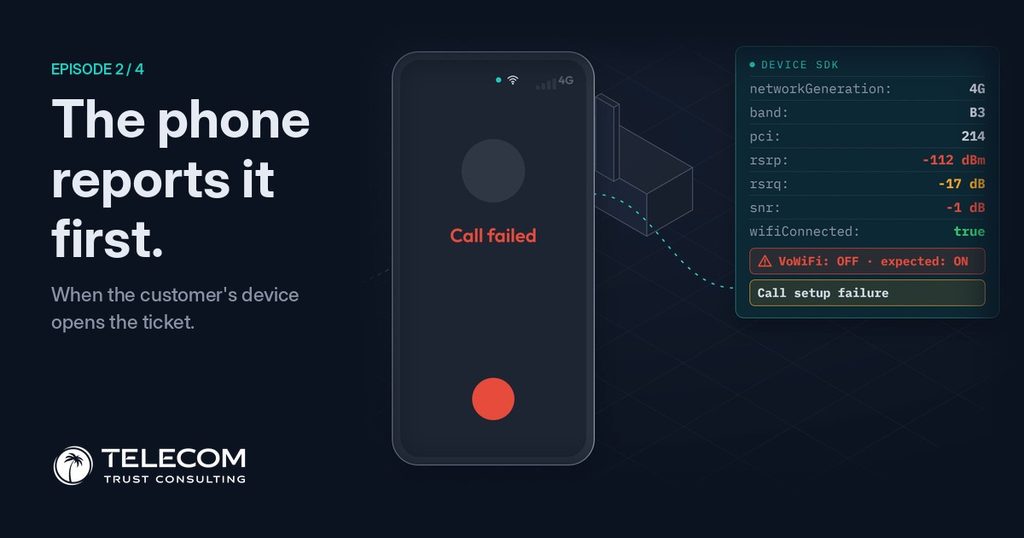
Same street. Same office. Same phone. Different operator. This time, the customer’s own phone reports the problem before she has even put it down.
Her phone stopped working inside the office. The network showed everything green and the ticket closed as “No fault found”. Read episode 1 →
In this episode, the only difference is a small piece of software inside the operator’s own app, the one she already uses to check her balance. It quietly measures what the phone experiences, and when something goes wrong, it reports it.
What the phone saw
At 09:02, on the street, the phone reports a healthy 4G connection. Two minutes later, inside the building, the same readings tell a very different story.
The phone’s own readings · outside vs inside
Standard values that any Android phone already knows about itself.
The network sees some of these values in its own way, but never from the customer’s position, and never together with how the phone is configured.
Two causes, one failed call
At 09:04 she makes a call. Call failed, exactly as in the first episode. This time the phone records the failure and, more importantly, the conditions around it. They point to two causes acting together.
Why the call failed
The network sees neither. The cell is healthy, so nothing raises an alarm, and a handset setting is invisible from the network side.
Without the device view, the ticket closes as No fault found or, at best, becomes a request to improve coverage, which is slow and expensive. With it, the operator can restore her calls today and still send the building to engineering.
The ticket nobody had to open
The moment the call fails, the phone sends a short report to the operator. A ticket appears in the operations queue at 09:04, with the cause already in it. She does nothing. She doesn’t call support, and she never sees the ticket.
Same morning, two operators
On the operator’s screen, the two views sit side by side. The network panel still shows everything green. The device panel shows the weak signal and the disabled setting. When the two disagree, the disagreement itself is the clue.
What lands on the operator’s screen
Illustrative values from the video.
Why waiting for the customer to call doesn’t work
In the first article we saw that customers with terrible service open tickets at almost the same rate as everyone else. Most problems never reach the support queue. Data from operators that measure on the device points the same way.
What device-side measurement shows
Figures from device-side measurement in production networks, counted per device.
In every case the customer is affected, the network is healthy, and no one calls. A phone that reports its own problems turns those invisible cases into tickets with evidence attached.
What it takes
Turning the phone into a sensor does not require new hardware or a new app for the customer. It does require a few things done well.
The operator’s app becomes the network’s eyes
In the first episode, the operator found out about the problem when the customer called, and then could not find it. In this one, the phone reported it first, with the cause already in the ticket.
No call. No complaint. The ticket is already there.
But a ticket is only the start. What does the operations team see when it lands, and how do they decide what to do?
Episode 3 of 4 · coming soon